WordPress powers millions of websites worldwide, and plugins are one of the biggest reasons behind its flexibility. Whether you want to add custom features, automate workflows, or build SaaS integrations, learning how to create WordPress plugins is an incredibly valuable skill.
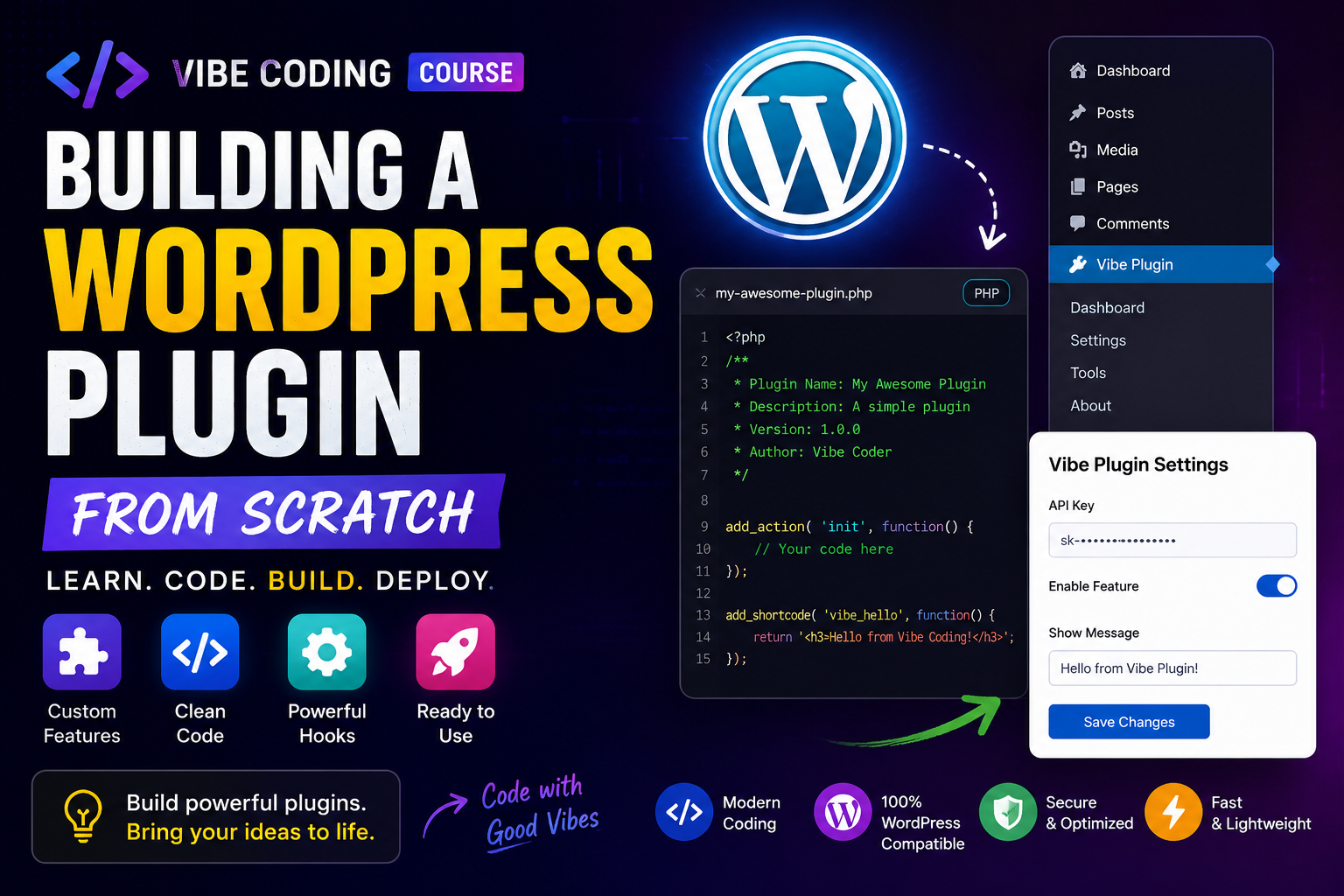
In this Vibe Coding Course, we’ll explore how to build a WordPress plugin from scratch, why plugin development matters in 2026, and how modern AI-assisted coding is changing the future of WordPress development.
If you’re a beginner developer, freelancer, or WordPress enthusiast, this guide will help you understand the plugin development process step-by-step.
What Is a WordPress Plugin?
A WordPress plugin is a package of PHP, JavaScript, CSS, and other files that extends the functionality of a WordPress website.
Plugins allow developers to:
- Add custom features
- Modify website behavior
- Integrate APIs
- Create automation tools
- Improve SEO
- Build WooCommerce functionality
- Connect third-party services
Without plugins, WordPress would be extremely limited.
Why Learn WordPress Plugin Development?
Learning plugin development opens many opportunities.
1. Build Custom Features
Instead of relying on heavy third-party plugins, you can create lightweight custom solutions tailored to your needs.
Examples:
- Custom forms
- AI integrations
- Automation tools
- WooCommerce features
- Dynamic Elementor widgets
2. Freelance Opportunities
Businesses constantly need:
- Plugin customization
- Bug fixes
- Feature development
- API integrations
WordPress plugin developers are in high demand on freelance platforms.
3. Create Your Own Products
Many successful SaaS businesses started as simple WordPress plugins.
You can build:
- Premium plugins
- Subscription tools
- Automation software
- AI-powered add-ons
This creates recurring income opportunities.
What You’ll Learn in the Vibe Coding Course
This course focuses on practical plugin development.
Topics include:
- WordPress plugin structure
- PHP basics for WordPress
- Hooks and filters
- Admin settings pages
- REST API integration
- AJAX requests
- Security best practices
- Plugin activation hooks
- Database handling
- AI integrations
- Modern development workflows
The goal is to help developers build real-world plugins instead of just following theory.
Step 1: Understanding Plugin Structure
Every WordPress plugin starts with a folder and a main PHP file.
Example structure:
my-plugin/
│
├── my-plugin.php
├── assets/
├── includes/
├── admin/
├── public/
└── templates/
The main plugin file contains metadata like:
<?php
/*
Plugin Name: My Custom Plugin
Description: A simple WordPress plugin.
Version: 1.0
Author: Your Name
*/
This tells WordPress how to recognize the plugin.
Step 2: Learning Hooks and Filters
Hooks are one of the most important parts of WordPress development.
There are two main types:
- Actions
- Filters
Actions
Actions allow you to run custom functions.
Example:
add_action('wp_footer', 'custom_footer_text');

function custom_footer_text() {
    echo "Hello from my plugin!";
}
Filters
Filters modify existing content.
Example:
add_filter('the_title', 'change_post_title');

function change_post_title($title) {
    return "Updated: " . $title;
}
Hooks make WordPress extremely flexible.
Step 3: Creating Admin Settings Pages
Most plugins need a settings panel.
Using the WordPress Settings API, you can create:
- Custom admin menus
- Settings forms
- API key fields
- Toggle options
This allows users to configure plugin behavior easily.
Step 4: Connecting APIs
Modern plugins often connect with external services.
Examples:
- OpenAI
- Stripe
- CRM platforms
- Marketing tools
- Automation systems
Using WordPress HTTP functions, developers can send API requests securely.
Example use cases:
- AI content generation
- Payment processing
- Chatbots
- External dashboards
Step 5: Using AI in Plugin Development
AI-assisted coding is becoming a major part of WordPress development.
Tools like:
- ChatGPT
- Claude AI
- GitHub Copilot
help developers:
- Generate boilerplate code
- Debug functions
- Build APIs faster
- Write documentation
- Improve productivity
This “Vibe Coding” approach combines creativity with AI-powered development.
Best Practices for Building WordPress Plugins
1. Follow WordPress Coding Standards
Clean code improves:
- Maintainability
- Compatibility
- Security
Use proper:
- Naming conventions
- Sanitization
- Escaping
- Documentation
2. Optimize Performance
Avoid:
- Heavy database queries
- Unnecessary scripts
- Bloated code
Fast plugins improve website performance.
3. Focus on Security
Always:
- Validate inputs
- Sanitize user data
- Escape outputs
- Use nonce verification
Security is critical for WordPress plugins.
Why AI + WordPress Development Is the Future
AI tools are accelerating WordPress development dramatically.
Developers can now:
- Build plugins faster
- Generate code instantly
- Debug issues quickly
- Prototype ideas rapidly
But human developers still play the most important role:
- Architecture
- Problem solving
- UX decisions
- Security planning
AI enhances developers — it doesn’t replace them.
Who Should Learn WordPress Plugin Development?
This course is ideal for:
- Freelancers
- WordPress developers
- Elementor developers
- WooCommerce developers
- Agency owners
- SaaS founders
- Beginners learning PHP
Even basic plugin knowledge can significantly improve your development skills.
Final Thoughts
Building a WordPress plugin is one of the best ways to level up as a developer.
With the rise of AI-assisted coding and modern automation tools, plugin development is becoming faster, smarter, and more accessible than ever.
The Vibe Coding approach focuses on:
- Creativity
- Rapid development
- Practical projects
- AI-assisted workflows
If you want to build modern WordPress solutions in 2026 and beyond, learning plugin development is an essential skill.